{"genre":"Arcade","tags":["Arcade","Casual"],"live":true,"number":"0013","slug":"tigers-ocean-run","numberedSlug":"tigers-ocean-run0013","route":"/games/tigers-ocean-run0013","summary":"A little tiger, a wooden raft and an endless ocean: collect coins, grab power-ups and dodge hazards.","guide":["Steer the raft left and right with the arrow keys, A and D, or the on-screen buttons.","Hold Space, W, the up arrow, the BOOST button or the lower half of the screen to spend energy and accelerate.","Collect coins for score and combo chains, grab magnets to pull nearby coins in, and pick up boost items for a short speed surge.","Avoid rocks because they damage the raft, slow it down and scatter coins; bombs end the run immediately."],"controls":["Arrow Left / A or Arrow Right / D to steer on desktop.","Hold Space / W / Arrow Up to boost.","On touch screens, hold the left or right side to steer and tap BOOST; the on-screen arrows are also available.","Click the game once if you want keyboard control inside the iframe."],"tips":["Save boost for a clear lane: the speed keeps rising on its own, so a blind boost often turns a safe gap into a crash.","A magnet picked up near a dense coin line is worth more than one picked up in an empty stretch.","Rocks cost hull, speed and coins, so a clean line protects your score in three ways at once.","Bombs are never a risk worth taking; treat the red glow as a hard boundary even when a coin sits beside it."],"faqs":[["Is Tiger Ocean Run free to play?","Yes. The game runs in your browser and there is no download, install or sign-up before the first run."],["Can I play it on a phone?","Yes. Touch steering, boost controls and the embedded frame are designed for phone, tablet and desktop screens."],["What happens when the raft hits a rock?","The raft loses hull, slows down and drops coins. Four heavy hits sink the raft."],["What happens when the raft touches a bomb?","A bomb ends the run immediately, so dodge the black spiked ball with the red warning glow."],["Can I boost without stopping?","Boost uses energy. Let energy recover between surges and use it when the lane ahead is clear."]]}
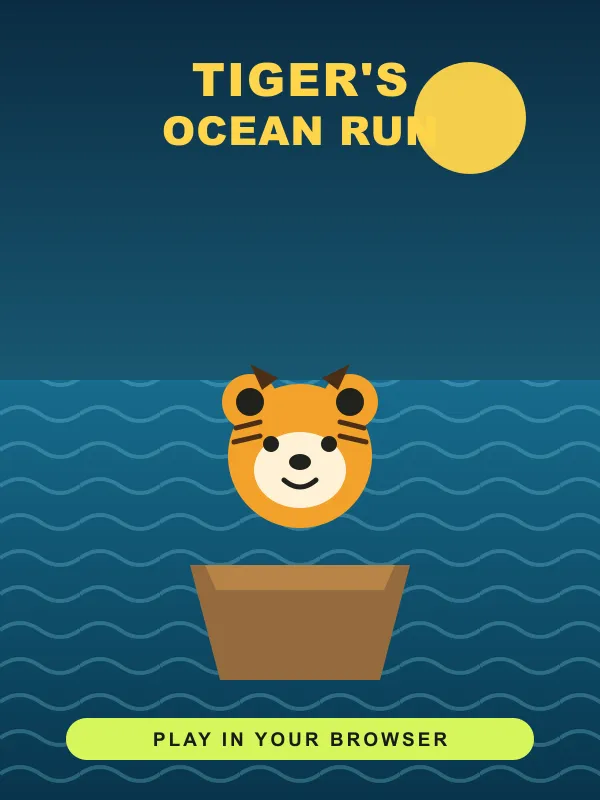
Tiger Ocean Run is a free browser arcade game about reading a moving lane and choosing the cleanest line. You steer a little tiger on a wooden raft, collect coins, grab short boosts and magnets, and keep the raft away from rocks and bombs. The run speeds up on its own, so the challenge is not a long tutorial or a complicated control scheme; it is the next few seconds of open water. Press PLAY FREE, use the on-screen start flow, and the game opens in the same spot on desktop, tablet or phone.
How to play Tiger Ocean Run
- Start the raft. Open the game, read the first-voyage card if it appears, then choose Got it — start drifting or skip the tutorial. The run begins from a steady cruising speed.
- Steer inside the lane. On a keyboard, use Left and Right or A and D. On a touch screen, hold the left and right arrows, or press and hold the left or right side of the canvas. The raft cannot leave the water lane, so every input is a choice between safe paths rather than free movement.
- Boost only when the lane is clear. Hold Space, W or the up arrow on desktop, or tap BOOST on touch. Manual boost spends the energy bar. Energy recovers while you cruise, which means a boost is a resource to time rather than a button to hold down.
- Collect coins and chain combos. Coins add to the score and close coin chains build a combo. The combo display rises when coins are collected close together, then fades if the run goes quiet. A magnet pickup pulls nearby coins toward the raft for a short window.
- Read rocks before they arrive. Rocks damage the hull, cut speed, scatter coins and break a combo. A near miss is rewarded, so passing close to a rock without touching it can be better than taking a wide detour through an empty lane.
- Treat bombs as hard boundaries. Bombs are black spiked balls with a red warning glow. A bomb hit ends the run immediately, even if the hull is full. Coins sometimes sit near a bomb; they are never worth the risk.
- Finish when the hull gives out. Four heavy rock hits sink the raft. The result screen shows the run's score, coins and distance, and it updates the local best score when a new record is set.
What you meet on the water
| Item | What it does | What to do |
|---|---|---|
| Coin | Adds five points and can build a combo | Take the line that keeps a chain alive |
| Boost pickup | Gives a short speed surge and refills energy | Use the surge while the lane ahead is open |
| Magnet | Pulls nearby coins in for five seconds | Save it for a dense coin arc, not an empty stretch |
| Rock | Costs hull, speed and coins | Pass close for a near miss without contact |
| Bomb | Ends the run on contact | Change lanes early and never chase coins beside it |
The speed rises gradually with time, and the obstacle pattern changes as the distance climbs. Early water is readable enough to learn the controls; later stretches mix tighter rock groups with bombs and coin arcs. That progression keeps a short run interesting without asking you to memorise a level map.
Controls on desktop and phone
Desktop players can keep their hands on the keyboard for the entire run: Left and Right or A and D steer, while Space, W or the up arrow boosts. The game canvas accepts pointer input too, so pressing the left or right side of the screen also steers. If keyboard input feels unresponsive inside an embedded frame, click the game once to give it focus.
Phone players get large left, right and BOOST buttons above the water. The buttons respond to press and hold, and the canvas sides work as an alternative when a thumb lands outside the controls. The layout uses the full screen width in portrait and keeps the score, hull, energy and combo indicators away from the touch zones.
Tips for a longer Tiger Ocean Run
- Protect the hull first. A clean run keeps its speed, its coins and its combo. A rock hit costs all three at once, so the safe lane is usually the fast lane.
- Spend manual boost on empty water. Speed climbs by itself. A boost inside a crowd of rocks removes the time you need to react.
- Use magnets on coin arcs. A magnet in an empty stretch only adds a few coins. A magnet inside a curved line can hold a combo together.
- Watch the far lane, not the raft. The raft reaction is quick; the decision has to happen before the obstacle reaches it. Read the group ahead, then commit.
- Do not trust a coin beside a bomb. Bomb contact ends the run immediately. There is no score worth trading for a restart.
- Take the near miss. Passing close to a rock adds a near-miss bonus. Clean, confident lines score better than wide, cautious ones once the controls feel familiar.
Is Tiger Ocean Run a download?
No. Tiger Ocean Run runs inside the browser page and does not need an app store install, a plugin, a download or an account. It uses browser storage for simple local records such as the best score and whether the tutorial has been seen. Closing the tab ends the current run; there is no cloud campaign to restore.
The game uses a 3D rendering library loaded from a public content delivery network. If the first load is slow, wait for the loading state to finish rather than pressing start repeatedly. If it still does not appear, refresh the page, check the connection and try again from the game detail page.
Frequently asked questions
Is Tiger Ocean Run free to play? Yes. The whole game runs in the browser and there is no purchase, download or sign-up before the first run.
Can I play it on a phone? Yes. The canvas and controls adapt to phone, tablet and desktop screens. Touch steering and BOOST are available alongside keyboard controls.
What happens when the raft hits a rock? The raft loses hull, slows down, scatters coins and loses its combo. Four heavy hits sink the raft and end the run.
What happens when the raft touches a bomb? The run ends immediately. Bombs are the black spiked obstacles with a red warning glow.
Can I boost without stopping? No. Manual boost uses energy, which recovers while you cruise. Pickup boosts are temporary and have their own timer.
Does the game save a run? No. Each visit starts a fresh run. The page keeps only simple local best-score information in the browser.
Does it work inside a fullscreen frame? Yes. Use the fullscreen control beside the player, and press Escape to return to the page. Starting the game requests fullscreen from the same button press where supported.
PLAYABLE NOW / Strategy
Tiger Ocean Run
Play Tiger Ocean Run free in your browser. Steer a tiger's raft, collect coins, use boosts and magnets, dodge rocks and bombs, and chase a high score.
Tiger Ocean Run
Enter the playground below.
Setting the board…
FREE BROWSER GAMENo install needed
What players are saying